
StarMaker: Sing Karaoke Songs
SKYWORK AI PTE. LTD.Music & Audio
4.339.09K Reviews
- Version
- 9.22.3
- Installs
- 500.00M
- Age Rating
- Teen
Screenshots
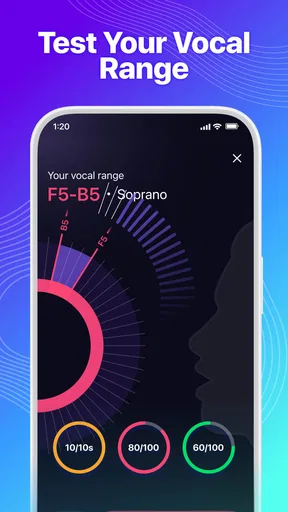
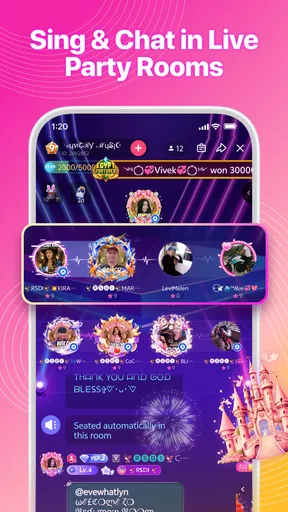
Our Review of StarMaker: Sing Karaoke Songs
 Analysis by Appyee
For anyone who sings along to music while doing chores, driving a quiet stretch, or waiting for friends, StarMaker: Sing Karaoke Songs turns that impulse into a more deliberate activity: choose a track, follow its lyrics, and record a performance. I see its main appeal in making karaoke easy to try without arranging a night out. It is a music and audio app from SKYWORK AI PTE. LTD., and its free entry point makes it approachable; the bigger question is whether you want the recording and community side enough to spend time exploring it.
What you get without paying
The app is free to download, but it also offers in-app purchases, with listed items ranging from $0.49 to $199.99. That distinction matters: you can start singing without buying the app, while some optional purchases may cost substantially more. I would treat the free version as a chance to test the experience first, not assume that every feature or piece of content will be available without payment. Check the price shown in the app before confirming any purchase, and decide whether a particular extra genuinely improves how you use it.
For a casual singer, the no-cost starting point may be enough to find out whether singing to on-screen lyrics and recording takes is enjoyable. If you plan to use the app regularly, compare the value of any paid option with your own habits rather than buying on impulse. I would not pay just because a feature looks tempting in the moment; first try a few songs and see whether you enjoy listening back, adjusting your sound, or sharing a performance.
Getting Started with StarMaker
First things first, getting StarMaker: Sing Karaoke Songs set up on your phone is a breeze. Available on both Android and iOS, the app is free to download, though, like most apps these days, it does offer in-app purchases. Once you’ve installed it, you’ll be prompted to create an account. You can do this via Facebook, Google, or even your phone number, so plenty of options to keep it simple.
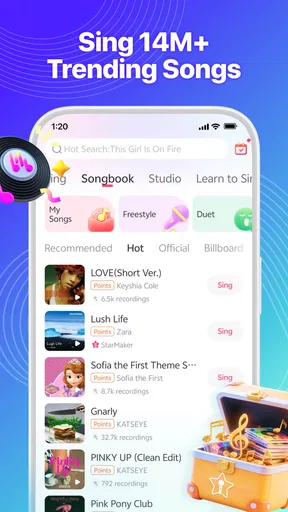
As soon as you’re in, you’re greeted with a vibrant interface that’s easy to navigate. The home screen is packed with a plethora of songs, covering every genre you can imagine. From pop to rock, country to hip-hop, there’s something for everyone. You can search for your favorite tracks or browse through curated playlists. The best part? The song library is constantly updated, so you’ll always find the latest hits.
Making a recording you want to replay
The first recording is easiest if you think of it as a private rehearsal, even if you later choose to share it. Pick a song you already know well, use the lyric prompts to stay in time, and listen back before posting. That simple replay is useful because it separates two questions: did I enjoy singing this, and do I like the recording? If the take feels off, try again when you are somewhere quiet and hold the phone at a steady distance. A noisy room or a changing mic position can make a vocal seem less consistent than it felt while singing.
Effects can be fun, but I’d use them sparingly at first. Record one take with minimal adjustment, then compare it with a version that uses a voice effect or pitch correction. That gives you a better sense of what the processing is doing instead of relying on a polished sound that may not suit every song. A close, dry vocal can work better for a gentle track, while a little echo may feel more fitting for a big chorus. The useful trick is to make one change at a time so you can tell which setting actually helps.
Features that Make You Sing
What really makes StarMaker stand out is its feature-rich platform. For starters, you can sing solo, or if you’re feeling a bit more adventurous, join a duet with friends or even complete strangers from around the globe. The collaborative aspect is a game-changer, and it’s a fantastic way to connect with fellow music lovers.
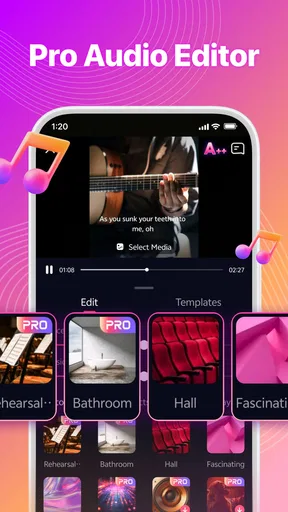
The app also boasts a pitch correction feature, which is perfect for those of us who might not always hit the right notes. It subtly tweaks your vocals to make you sound like a pro. There’s also a variety of voice effects and filters to play around with, allowing you to customize your sound to your liking. Want to add a bit of reverb or echo? No problem, StarMaker’s got you covered.
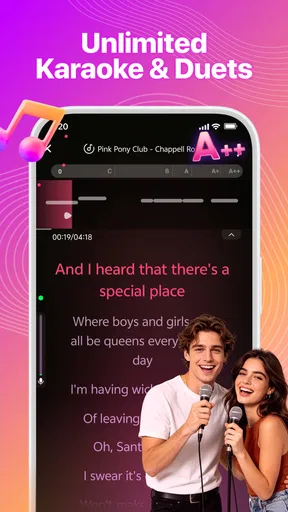
Recording your performance is just as easy. Once you’ve selected your song, you can start singing along with the lyrics displayed on-screen. And if you’re particularly proud of your rendition, you can share it with the StarMaker community or even on your social media platforms. The app also lets you go live, offering a real-time karaoke experience where you can interact with your viewers.
Choosing between solo, duets, and live sessions
These modes suit different moods, so I wouldn’t treat them as interchangeable. Solo recording is the low-pressure option: it lets you practise, experiment with effects, and decide whether you want anyone else to hear the result. A duet is more about timing and exchange. If you are joining another singer, listen carefully to the existing part before recording so your entrance and energy complement it rather than compete with it. It can be a friendly way to participate even if you are not ready to lead a whole song.
Going live asks for a different kind of confidence. A saved take gives you room to review and redo; a live session puts the performance and interaction in the moment. I’d start with recordings and try live only if you actively enjoy being watched or chatting while singing. If your goal is simply to practise privately, there is no need to use the social tools just because they are available.
Community and Social Interaction
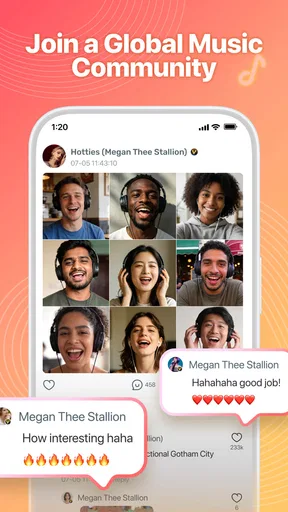
StarMaker isn’t just about singing; it’s about connecting. The app has a strong community vibe, with users from all over the world. You can follow other singers, join fan clubs, and participate in various challenges and contests. These contests can sometimes offer rewards, adding a fun competitive edge to the experience.
The social aspect of StarMaker is really what elevates the app. It’s not just about singing solo in your room; it’s about sharing your passion for music with others. The app encourages interaction and engagement, making it a vibrant and lively platform.
How it fits a normal day—and where alternatives win
A practical use case is a short evening break: after dinner, I could search for a familiar song, record one take, and listen back before deciding whether to share it. That is a different rhythm from a conventional karaoke venue, where the fun comes from singing together in the same room and reacting to each other in real time. StarMaker is more convenient for an individual practice session or a remote duet, but it cannot reproduce the atmosphere of friends cheering across a table.
Compared with a basic music player, the point here is participation rather than simply listening. Compared with a dedicated vocal-training approach, it is more playful and social than methodical: pitch correction and effects can make a recording more enjoyable, but they are not the same as structured lessons or feedback from a vocal coach. If you want to improve technique in a disciplined way, use a teaching resource alongside it. If you mainly want an easy place to sing songs and share takes, this app is the more natural fit.
Song choice also affects the experience. A track with a melody and phrasing you already know is a better first test than a difficult song you have only heard once. It lets you focus on the lyric timing, how your voice sounds through the phone, and whether the available adjustments suit you. When searching, try a couple of different terms if the exact title is not immediately obvious; browsing playlists can also help when you want to sing but have not decided what to pick.
Small choices that make the experience smoother
Before recording, consider the room as part of your setup. A quiet spot helps you hear the backing and your own voice more clearly, while a room with lots of competing sound can make a take harder to judge. Keep the phone stable and avoid moving it between verses. These are simple habits, but they make comparisons between takes more meaningful, especially when you are testing a voice filter or pitch correction.
It is also worth separating practice from publishing. You can use a take to notice where you lose the melody or rush a line without turning every attempt into a post. When you do share, choose a performance you are comfortable having other users hear, and remember that a social app can invite responses and interaction. People who prefer their music-making to stay entirely private may find that community layer less appealing, even though solo singing remains an option.
On a phone with an older operating system, check compatibility before planning to install: the current version is 9.4.3 and requires Android 6.0 or later. The app is rated Teen, a detail worth keeping in mind if a younger family member will use its social features. It has a 4.4 average from around 3.9 million ratings, and has passed 500 million installs, so it is a widely used choice—but popularity alone does not guarantee that its social style or purchase options will suit you.
Who is most likely to enjoy it?
I’d recommend it to someone who likes singing casually, wants to hear their own takes, or enjoys the idea of joining other singers without needing everyone to be in one place. It can also suit a person who wants a playful reason to practise a song before singing it at a gathering. The combination of lyric-following, recording, vocal effects, and social sharing gives the activity more shape than simply singing over a song playing in the background.
I’d suggest skipping it if you want a strictly private, distraction-free practice tool, if you dislike social feeds and interaction, or if you expect a karaoke app to provide formal vocal instruction. It may also be a poor match if you only want to play music and have no interest in singing or recording. In those cases, a regular music app, a focused learning tool, or an in-person karaoke night may deliver more of what you actually want.
Features that Make You Sing
What really makes StarMaker stand out is its feature-rich platform. For starters, you can sing solo, or if you’re feeling a bit more adventurous, join a duet with friends or even complete strangers from around the globe. The collaborative aspect is a game-changer, and it’s a fantastic way to connect with fellow music lovers.
The app also boasts a pitch correction feature, which is perfect for those of us who might not always hit the right notes. It subtly tweaks your vocals to make you sound like a pro. There’s also a variety of voice effects and filters to play around with, allowing you to customize your sound to your liking. Want to add a bit of reverb or echo? No problem, StarMaker’s got you covered.
Recording your performance is just as easy. Once you’ve selected your song, you can start singing along with the lyrics displayed on-screen. And if you’re particularly proud of your rendition, you can share it with the StarMaker community or even on your social media platforms. The app also lets you go live, offering a real-time karaoke experience where you can interact with your viewers.
Community and Social Interaction
StarMaker isn’t just about singing; it’s about connecting. The app has a strong community vibe, with users from all over the world. You can follow other singers, join fan clubs, and participate in various challenges and contests. These contests can sometimes offer rewards, adding a fun competitive edge to the experience.
The social aspect of StarMaker is really what elevates the app. It’s not just about singing solo in your room; it’s about sharing your passion for music with others. The app encourages interaction and engagement, making it a vibrant and lively platform.
Why You Should Try StarMaker
In a nutshell, StarMaker: Sing Karaoke Songs is an absolute blast. Whether you’re a seasoned performer or just someone who loves to sing their heart out, this app has something for you. Its user-friendly interface, extensive song library, and engaging social features make it a top choice for karaoke enthusiasts.
So, if you’re ready to grab the mic and share your voice with the world, give StarMaker a try. It’s more than just an app; it’s a community where everyone’s a star. And who knows? You might just discover a hidden talent or make some new friends along the way.
Remember, it’s all about having fun and expressing yourself, and StarMaker provides the perfect stage to do just that. So go ahead, unleash your inner diva, and let the world hear your song!
Privacy and Permissions
See what permissions an app requests and how it handles your data.
- Identity
- find accounts on the device
- Calendar
- read calendar events plus confidential information, add or modify calendar events and send email to guests without owners' knowledge
- Contacts
- find accounts on the device, read your contacts
- Location
- approximate location (network-based), precise location (GPS and network-based)
- Photos/Media/Files
- read the contents of your USB storage, modify or delete the contents of your USB storage
- Storage
- read the contents of your USB storage, modify or delete the contents of your USB storage
- Camera
- take pictures and videos
- Microphone
- record audio
- Wi-Fi connection information
- view Wi-Fi connections
- Other
- view network connections, create accounts and set passwords, pair with Bluetooth devices, access Bluetooth settings, connect and disconnect from Wi-Fi, full network access, change your audio settings, read sync settings, run at startup, reorder running apps, draw over other apps, control vibration, prevent device from sleeping, toggle sync on and off, Google Play license check, read Google service configuration
Verdict
Strengths of StarMaker: Sing Karaoke Songs
- Vast song library for diverse tastes.
- User-friendly interface enhances experience.
- Customizable audio effects for fun.
- Social features connect with singers.
- Frequent updates with new features.
Limitations of StarMaker: Sing Karaoke Songs
- In-app purchases can be pricey.
- Occasional app crashes reported.
- Some features need internet access.
- Ads can interrupt singing sessions.
- Limited offline song availability.
Other Releases by Skywork AI Pte. Ltd.
View All
Linky AI: Chat, Play, Connect
Social3.9
Similar Picks in This Category
View All
YouTube Music
Google LLC4.4

Samsung Music
Samsung Electronics Co., Ltd.3.8

Spotify: Music and Podcasts
Spotify AB4.3

JioSaavn - Music & Podcasts
Saavn Media Limited4.3

Lark Player:Music Player & MP3
Lark Player Studio - Music, MP3 & Video Player4.6

Shazam: Find Music & Concerts
Apple Inc.4.8
You May Also Like
View All

Frequently Asked Questions
What features does StarMaker offer for karaoke enthusiasts?
StarMaker provides a wide array of features for karaoke lovers, including a vast library of songs across various genres, real-time pitch correction, duet options, and social sharing capabilities. Users can also customize their recordings with video effects and participate in singing contests, making it a comprehensive platform for all levels of karaoke enthusiasts.
Is StarMaker free to use, or are there in-app purchases?
While StarMaker is free to download and use, it does offer in-app purchases. Users can subscribe to VIP memberships for enhanced features like unlimited access to premium songs, advanced recording tools, and ad-free experiences. Additionally, users can purchase coins to send gifts to other performers or unlock special content.
How does StarMaker ensure the privacy of its users?
StarMaker takes user privacy seriously, implementing robust security measures to protect personal information. Users have control over their profiles and can set their recordings to private or public. The app complies with data protection regulations and provides options for users to manage their data preferences and privacy settings effectively.
Can I use StarMaker offline, or is an internet connection required?
StarMaker generally requires an internet connection to access its full range of features, including song downloads, social interactions, and contests. However, it does allow users to save their recordings offline, which can be accessed without an internet connection. This feature is especially useful for practicing or sharing recordings later.
How does StarMaker's social community enhance the karaoke experience?
StarMaker boasts a vibrant social community where users can connect with fellow karaoke enthusiasts worldwide. The platform allows users to follow, comment, and collaborate with others, creating a dynamic and interactive experience. Participating in live streams, contests, and group challenges further enriches the social aspect of the app, fostering a supportive environment for singers of all skill levels.
